CSS3 实现的图片悬停的切换按钮
作者:互联网
2026-03-29
 HTML教程
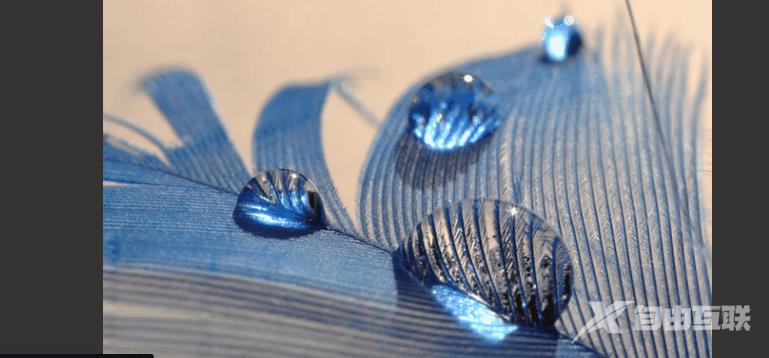
实现效果:
实现代码
html

CSS3
@import url(https://fonts.googleapis.com/css?family=Varela+Round);html, body { background: #333 url("https://codepen.io/images/classy_fabric.png"); }.slides { padding: 0; width: 609px; height: 420px; display: block; margin: 0 auto; position: relative;}.slides * { user-select: none; -ms-user-select: none; -moz-user-select: none; -khtml-user-select: none; -webkit-user-select: none; -webkit-touch-callout: none;}.slides input { display: none; }.slide-container { display: block; }.slide { top: 0; opacity: 0; width: 609px; height: 420px; display: block; position: absolute; transform: scale(0); transition: all .7s ease-in-out;}.slide img { width: 100%; height: 100%;}.nav label { width: 200px; height: 100%; display: none; position: absolute; opacity: 0; z-index: 9; cursor: pointer; transition: opacity .2s; color: #FFF; font-size: 156pt; text-align: center; line-height: 380px; font-family: "Varela Round", sans-serif; background-color: rgba(255, 255, 255, .3); text-shadow: 0px 0px 15px rgb(119, 119, 119);}.slide:hover + .nav label { opacity: 0.5; }.nav label:hover { opacity: 1; }.nav .next { right: 0; }input:checked + .slide-container .slide { opacity: 1; transform: scale(1); transition: opacity 1s ease-in-out;}input:checked + .slide-container .nav label { display: block; }.nav-dots { width: 100%; bottom: 9px; height: 11px; display: block; position: absolute; text-align: center;}.nav-dots .nav-dot { top: -5px; width: 11px; height: 11px; margin: 0 4px; position: relative; border-radius: 100%; display: inline-block; background-color: rgba(0, 0, 0, 0.6);}.nav-dots .nav-dot:hover { cursor: pointer; background-color: rgba(0, 0, 0, 0.8);}input#img-1:checked ~ .nav-dots label#img-dot-1,input#img-2:checked ~ .nav-dots label#img-dot-2,input#img-3:checked ~ .nav-dots label#img-dot-3,input#img-4:checked ~ .nav-dots label#img-dot-4,input#img-5:checked ~ .nav-dots label#img-dot-5,input#img-6:checked ~ .nav-dots label#img-dot-6 { background: rgba(0, 0, 0, 0.8);}以上就是CSS3 实现的图片悬停的切换按钮的详细内容,更多关于CSS3 图片悬停切换的资料请关注本站其它相关文章!
相关推荐